GutterComic & Manga Server

Your comics and manga,
beautifully organised.

Gutter turns the comic and manga files on your computer into a library you can browse and read anywhere — sorted by publisher and title, whatever your folders look like.

Windows · macOS · Linux · Docker  ·  CBZ, CBR, CB7, PDF, EPUB

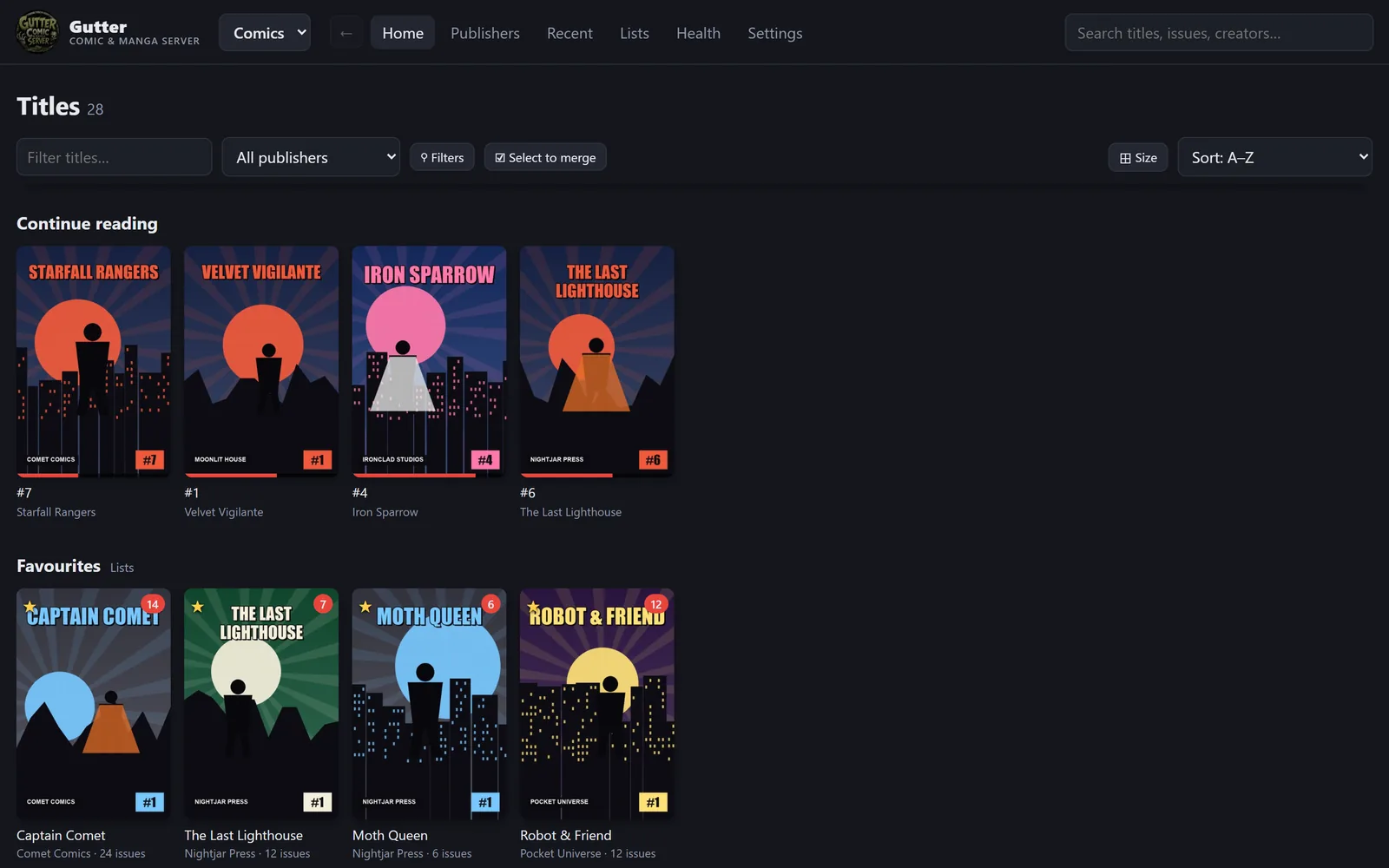
Gutter's library: continue reading and favourite titles

Everything a comic library should do

Point Gutter at your folders. It reads the files, works out the titles and publishers, finds the covers and keeps track of what you've read — then stays up to date as you add more.

🗂️

Sorted by publisher and title

Titles come from the files themselves, so loose downloads, odd folder names and mixed collections all land in the right place. Merge, rename or split titles in a click.

📖

A reader made for comics

Paged or continuous, left-to-right, right-to-left or webtoon, two-page spreads, fit modes and full screen — remembered per title.

🎌

Manga, done right

A separate manga collection, organised by series and chapter, opening right-to-left by default.

📱

Read on any device

Install it as an app on your phone, tablet or computer, or use Panels and other OPDS reader apps — with streaming pages and your progress.

🖼️

Covers and posters

Pick any issue's cover as a title's poster, upload your own, or find one online — publisher logos too.

⚡

Always up to date

Drop new files into your folders and they appear within seconds. Rescans are fast and never touch your files.

Browse the way you think about comics

Every publisher gets its own shelf, every title its own page with the issues in order, what you've read, and what's next.

  • Filters for unread, in progress, year, writer and artist
  • A–Z jump bar for big libraries
  • Continue reading right where you left off
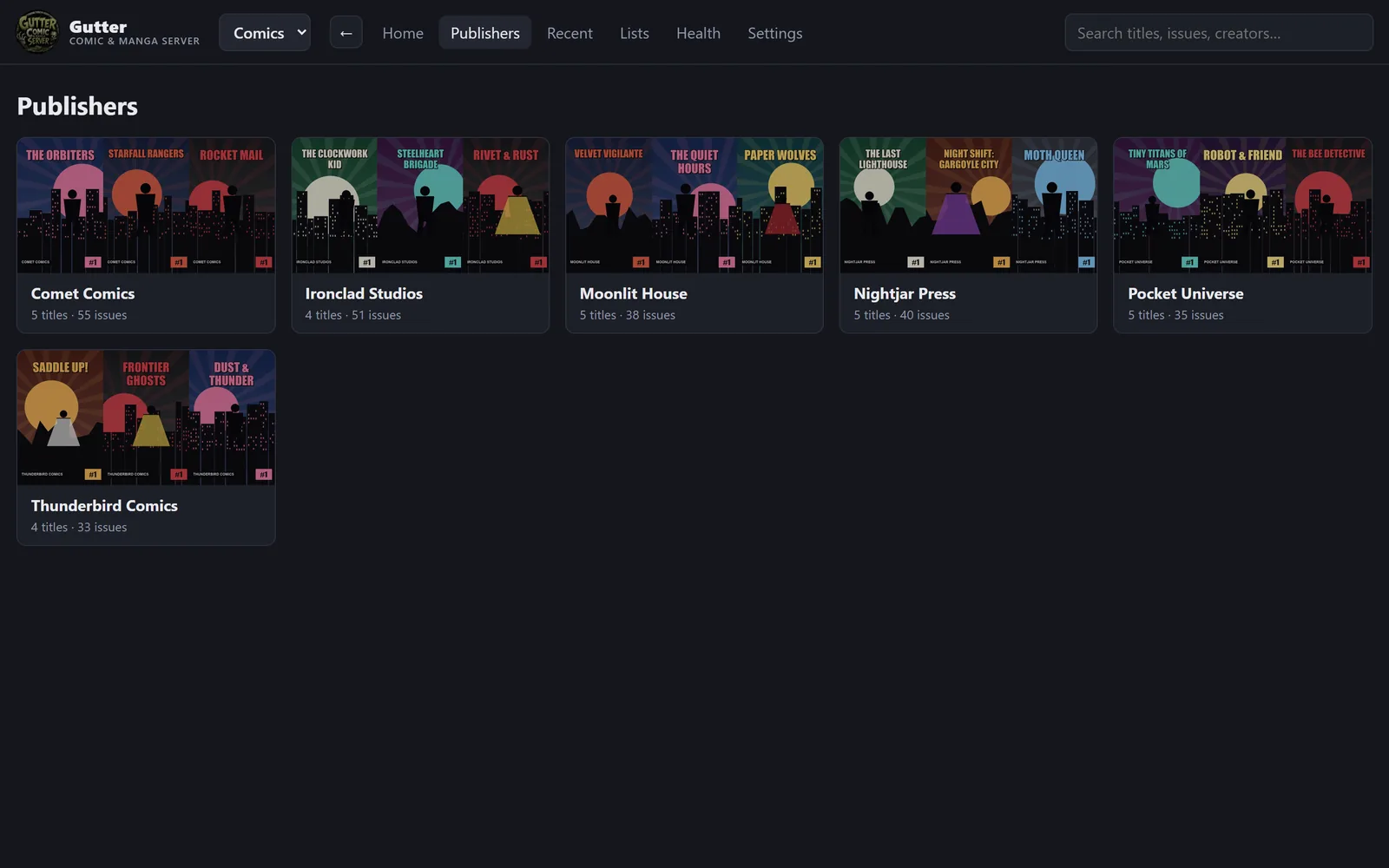
Publishers in Gutter

A reader that gets out of the way

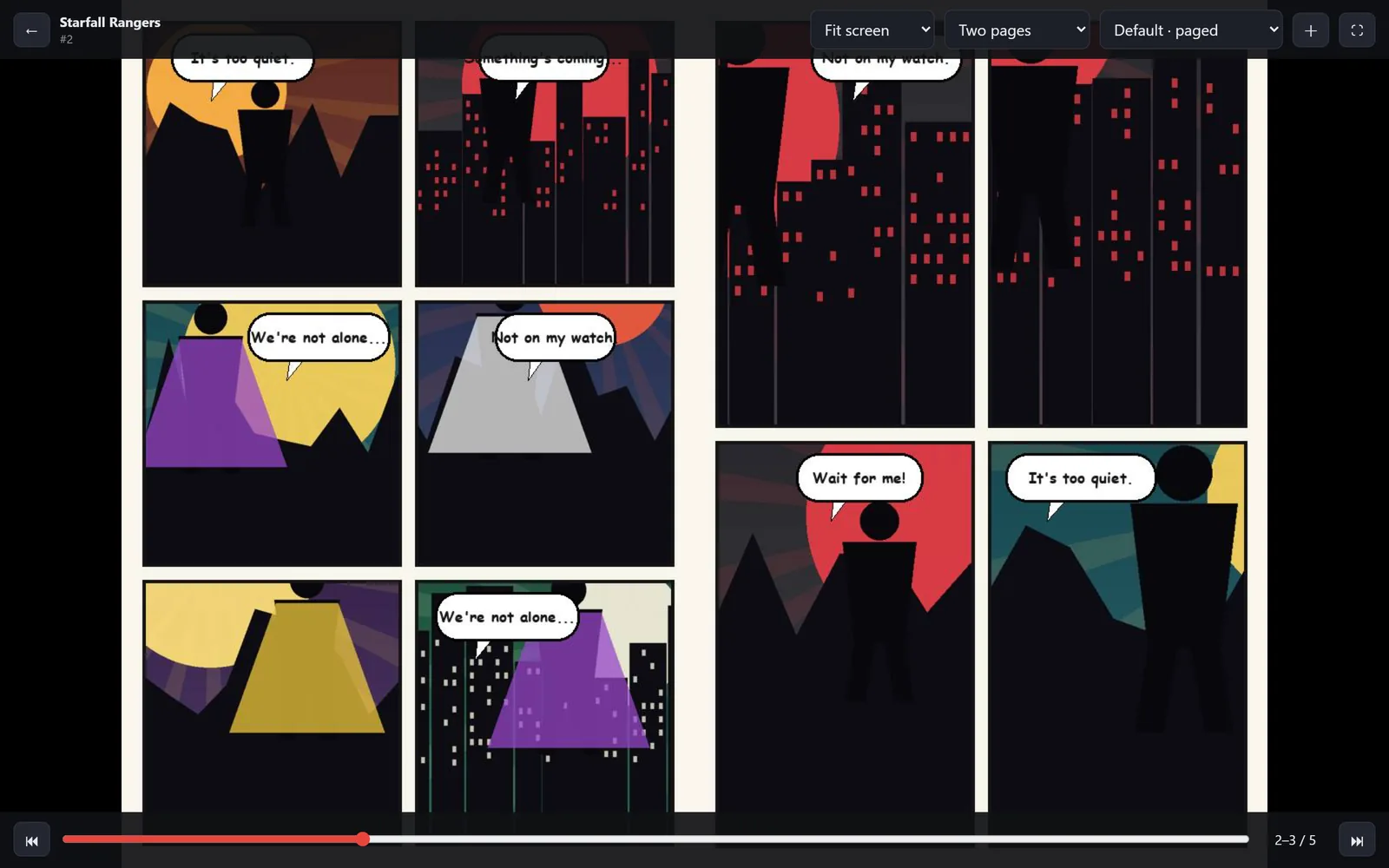
Two-page spreads on wide screens, single pages on phones, double-page art kept whole. Keyboard, tap, swipe and mouse-wheel controls.

Two-page spread in Gutter's reader

Every title, in order

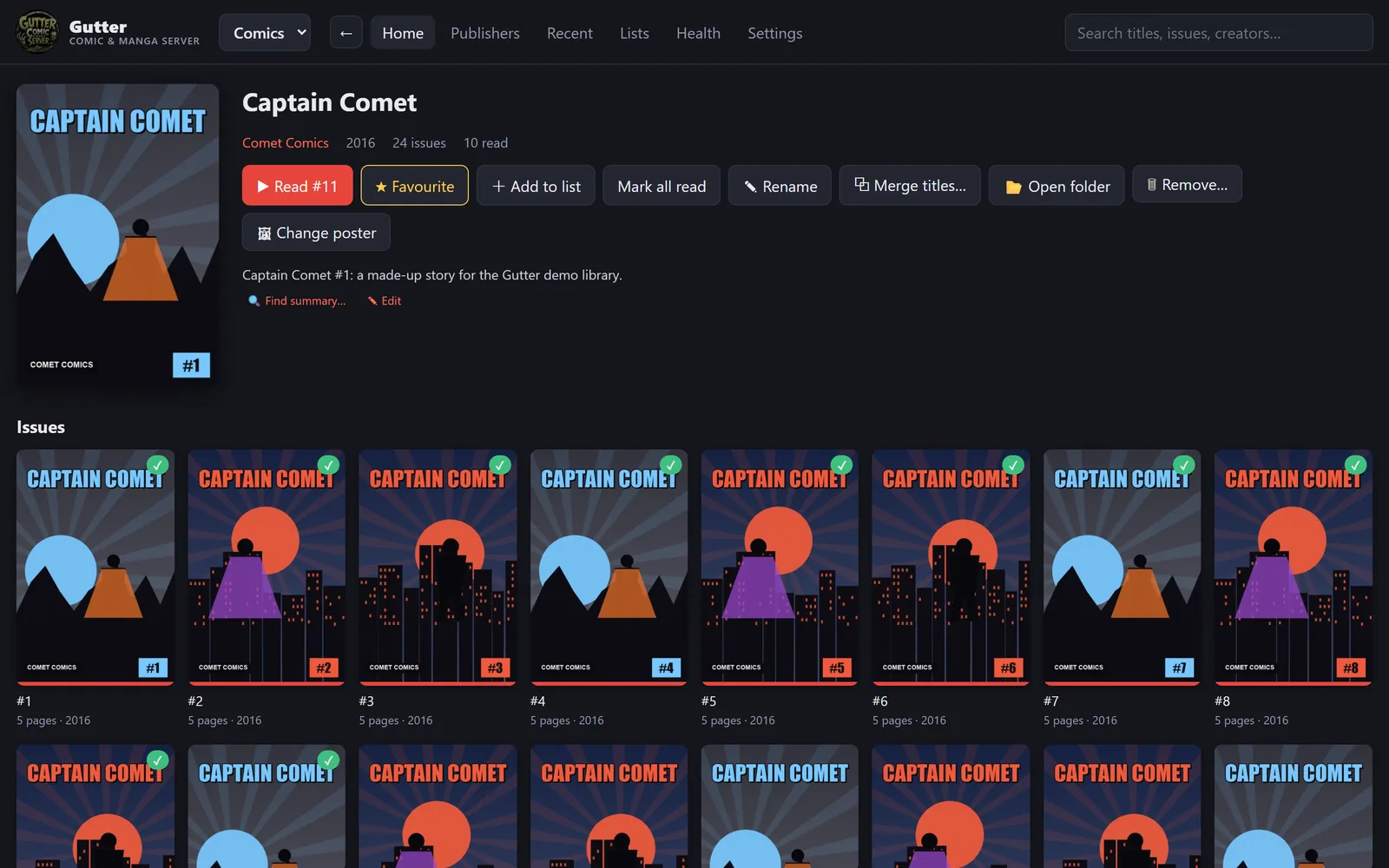
Issues sorted properly, story arcs and reading orders recognised, summaries and covers in one place. Mark a run as read, favourite it, or add issues to your own reading lists.

A title page in Gutter

Manga gets its own home

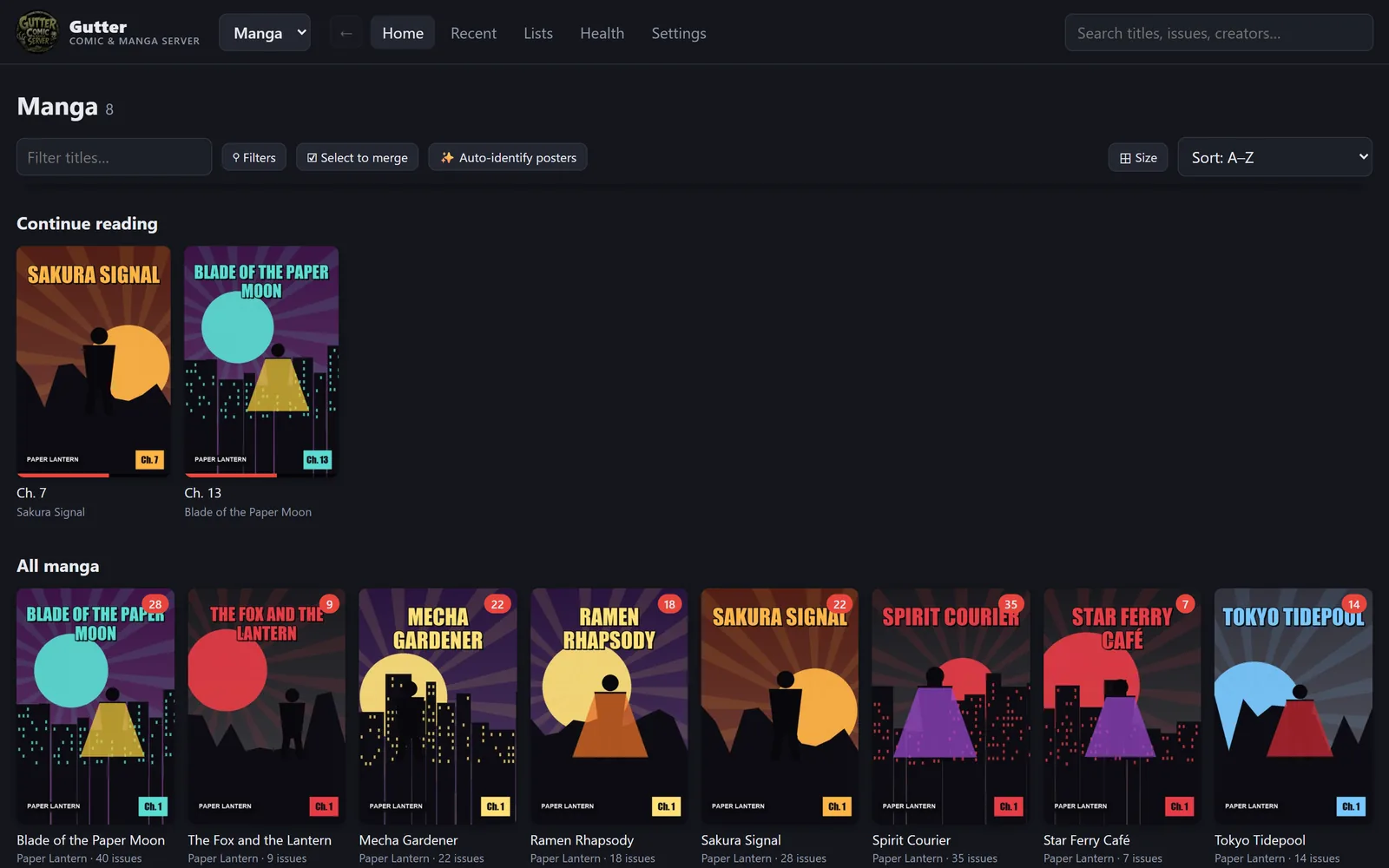
Switch between Comics and Manga at the top. Manga is organised by series and chapter and reads right-to-left out of the box.

The manga collection in Gutter

Free to use. Go Pro if you want more.

Gutter is free. Gutter Pro is a one-time purchase that unlocks the extras on your server for good — no subscription, ever.

Gutter

Free
Everything you need to organise and read.
  • Organises by publisher and title
  • Comics and manga collections
  • The full reader, including two-page spreads
  • Panels and OPDS reader apps
  • Installable web app for phone, tablet and computer
  • Your own posters, merges and names
  • New files appear automatically
Get Gutter

Gutter Pro

$20 one-time
For bigger libraries, families and reading on the go.
  • Everything in Gutter, plus:
  • Remote access — read away from home over HTTPS, no VPN
  • Accounts for everyone at home, each with their own progress
  • Find covers and summaries online
  • Library health: duplicates, damaged files, empty folders
  • Reading lists
  • Automatic daily backups
Coming soon

One purchase covers one Gutter server and everyone who uses it. 14-day refunds — see the refund policy. Payments are handled by Lemon Squeezy, our reseller.

Get Gutter

Free to download. Install it on the computer that has your comics, then open it from any device at home.

🪟

Windows

Windows 10 or 11 (64-bit). Installs for your account — no admin needed.

Download for Windows

Windows may say it “protected your PC” the first time: click More info → Run anyway. When asked, allow Gutter on private networks so your other devices can reach it.

🐳

Docker

For NAS boxes (Synology, Unraid, TrueNAS), home servers and Macs with Docker.

docker run -d --name gutter -p 8085:8085   -v /path/to/comics:/comics   -v gutter-data:/data   ghcr.io/zombiex5000/gutter:latest

Then open http://your-server:8085. For remote access from Docker, use host networking.

🐧

Linux

64-bit Linux (most distributions from 2022 on). Unpack and run — nothing else to install.

Download for Linux

tar -xzf Gutter-linux-x64.tar.gz && ./gutter/Gutter — the included README shows how to start it automatically.

  1. Install and open Gutter. It opens in your browser at http://localhost:8085.
  2. Add your comics folder in Settings → Libraries (and a manga folder, if you have one). Gutter reads everything in the background.
  3. Open it anywhere at home: Settings shows the address for your phone, tablet or Panels.

macOS app coming later — Mac users can use Docker for now. Need help? support@zombiex5000.com

Questions

Does Gutter come with comics?

No. Gutter organises and serves the comic and manga files you already have, on your own computer. It doesn't sell, stream or download comics. Please only use it with files you have the right to keep.

Where is my library stored? Does anything get uploaded?

Everything stays on your computer: your files, your reading progress and your settings. Gutter only contacts other services when you use a feature that needs them — like searching for a cover online or setting up remote access.

What do I need to run it?

A Windows, Mac or Linux computer (or anything that runs Docker) that's on while you read, with your comics on it or on a drive it can reach. Files can be CBZ, CBR, CB7, PDF or EPUB, in any folder layout.

Can I read on my iPad or phone?

Yes. Open Gutter in the browser and add it to your home screen, or connect a reader app such as Panels using Gutter's OPDS address.

How does remote access work?

Gutter Pro opens a port on your router automatically, keeps a name pointed at your home and gets a free HTTPS certificate, so you can read on mobile data with a normal web address. It needs a home internet connection with its own public address — some providers (often 5G home internet or satellite) share one address between many homes, and Gutter will tell you if that's the case.

Is Pro a subscription?

No. You pay once and Pro stays unlocked on your server. The key works offline and doesn't expire.

What if it doesn't work for me?

Email support@zombiex5000.com and we'll help. If it still isn't right, you can get a refund within 14 days of buying.